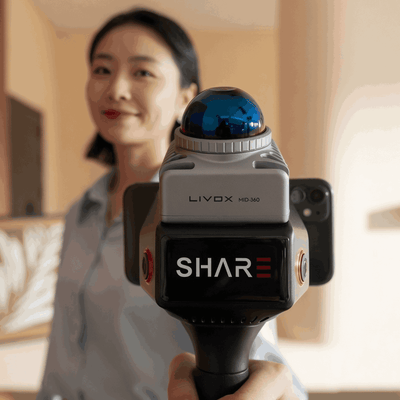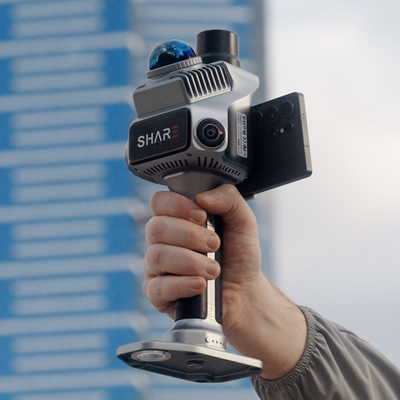
Every handheld scanner sheet quotes two ranges, not one. On SHARE C1 and C1 Pro that is 40 m at 10 percent reflectivity and 70 m at 80 percent. On the C10 line it is 80 m at 10 percent, then 120 m or 300 m at 80 percent depending on the unit.
If you only remember the bigger number, you will size the wrong scanner. The far figure is a bright lab target. Most walks live closer to the short one.
How ranging actually works
The laser fires a 905 nm pulse, Class 1. Time of flight becomes distance. That part is in how SLAM mapping works.
Range is not only time. The detector needs enough returning energy to count as a valid point. Energy falls as the pulse spreads with distance, and again if the surface absorbs or scatters that near-infrared instead of sending it back.
Livox, the sensor in the C1 series, puts numbers on this. A white plaster wall (they quote 90 to 99 percent reflectance at 905 nm) still returns a usable pulse at 70 m. Concrete and road sit at 15 to 30 percent. Dark asphalt, charcoal cladding and wet bitumen sit nearer the 10 percent test. Same scanner, same day, much less standoff.
OEMs test against calibrated reflectance targets, not against "a wall". Ten percent is the dark-target test. Eighty percent is the bright-target test. Those percentages are not a colour you see with your eyes. A black-looking panel can still return well at 905 nm. A pale painted sheet can be a poor returner if the pigment swallows near-infrared.
What the colours mean
Two colour systems get mixed up. Keep them apart.
On the spec sheet. Ranging charts paint rings. The dark ring is the 10 percent target. The pale ring is the 80 percent target. Those colours are a legend for the lab board, not a photo of your shed.
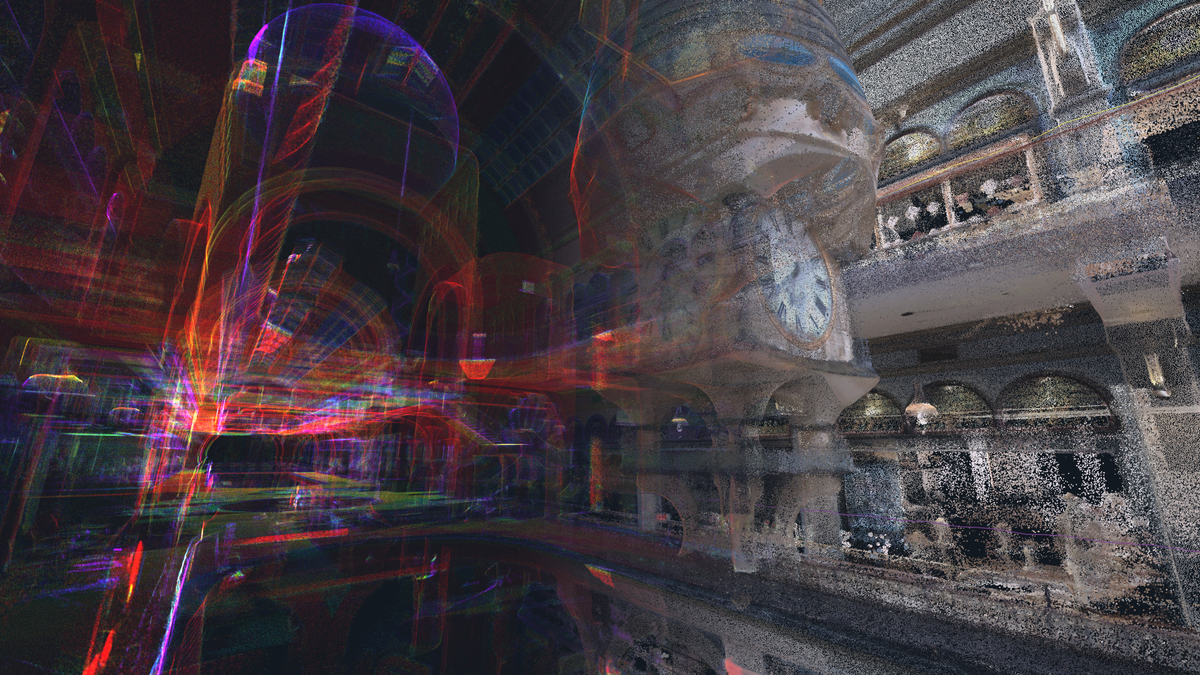
In SHARE Point Cloud Studio. Render Mode can be RGB, Elevation, Intensity or Echo. RGB is camera colour painted onto the points. Intensity is a false-colour ramp of how strong the laser return was. A dark intensity patch is a weak return: dark cladding, a glancing floor, wet bitumen, a surface near the detection limit. A bright patch is a strong return: white paint, fresh concrete, retroreflective tape, a close wall.
Intensity is not RGB. Switch to Intensity when you are hunting holes, glass, water or a far wall that looked solid in colour view and is actually thin.
What cuts range on a real walk
Surface at 905 nm first: dark cladding, wet asphalt, charcoal membrane and black foam. Then distance. Walk closer before you blame the scanner. A 70 m brochure line does not put points on a dark highwall at 70 m.
A glancing hit on a floor or facade returns less than a face-on hit. Polished or epoxy floors can enlarge the spot and pull the trajectory; tip the scanner slightly up so you lean less on ground returns. Glass, water, mirrors and polished stainless send the pulse away, so you get holes or ghost points, not extra range.
Mid-360 ranging is quoted at 100 klx. 905 nm handhelds pick up more noise on dark or shiny outdoor elevations than 1550 nm aerial payloads. Walking pace is usually fine. Test the elevation that matters. Dust, fog, heavy rain and thin targets (wires, mesh, black foam) also starve the return. Livox will not guarantee those tiny dark objects inside 1 m either.
None of this changes relative accuracy on a clean walk (under 1 cm). It changes whether the far wall exists in the cloud. Absolute under 5 cm still needs RTK or control. Ground control stays useful.
Which SHARE scanner to pick
C1 and C1 Pro share the Livox Mid-360: 40 m at 10 percent, 70 m at 80 percent. Stepping up to C1 Pro buys built-in RTK and 1-inch mechanical-shutter colour, not extra metres. Interiors, plant rooms, apartments, street trees: start here. C1 from $6,199. C1 Pro $7,999. In stock, available to buy now. Twelve months of MapShare Studio included with both.
C10 is the conversation when a C1 walk goes thin at the far wall of a dark shed, a tunnel, a pit face you cannot walk up to or a facade you have to stand off from.
| Scanner | LiDAR | Range at 10% / 80% | Pick this when |
|---|---|---|---|
| C1 / C1 Pro | Livox Mid-360 | 40 m / 70 m | Most interiors and mixed sites you can walk |
| C10-16 / C10-32 | Hesai XT16 / XT32 | 80 m / 120 m | Large plant, tunnels, sites that outgrow C1 |
| C10-32 Pro | Hesai XT32M2X | 80 m / 300 m | Face or facade you cannot close on |
C10-32 from $21,999. Live prices for C10-16 and C10-32 Pro sit on the C10 series page. 120 m and 300 m are SHARE published maxima at 80 percent. Range at 10 percent on all three C10 units is the Hesai 80 m figure.
If the job is a dark highwall at 150 m, the 300 m line does not save you. You need a brighter surface, a closer walk or an aerial LiDAR payload. We will say that on the quote.
Book a demo. We attend. Walk a dark wall and a white wall at the same standoff and watch the 10 percent / 80 percent difference in the phone preview, then pick C1 or C10 against the next job. Handheld scanners · C1 series · Contact
Read next: how SLAM mapping works · C1 vs C1 Pro · handheld LiDAR in 2026
FAQ
Is 70 m the range I get on site with a C1?
On a bright, face-on surface, often close. On dark cladding, wet asphalt or a glancing floor, plan around 40 m. Size the walk on the 10 percent number.
Does C1 Pro reach further than C1?
No. Same Livox Mid-360 class. C1 Pro adds built-in RTK and larger mechanical-shutter cameras.
Is intensity the same as colour from the cameras?
No. RGB is photographs mapped onto the points. Intensity is return strength. Use Intensity in Studio when you need to see weak returns.
Will C10-32 Pro give me 300 m on a dark pit wall?
The 300 m figure is SHARE's published maximum at 80 percent reflectivity. At 10 percent, C10 still quotes 80 m. A dark highwall at 150 m is a closer walk or an aerial payload, not a brochure line.
Do I still need ground control if range is the problem?
Range is a detection question. Control is a coordinate question. RTK on C1 Pro and on C10 expands outdoor use. Ground control stays useful for checks, long GPS-denied legs and anything a report has to defend.